# 🦙 LlamaApp
**Local LLMs, one click away — right from your Windows system tray.**
LlamaApp is a Windows 11 tray app for running [llama.cpp](https://github.com/ggml-org/llama.cpp) models locally. It's a WinUI 3 port of the macOS [llama.app](https://llama.app) menu-bar experience: no setup, no terminal, no elevation — just click the llama in your notification area and chat.
## ✨ Why you'll like it
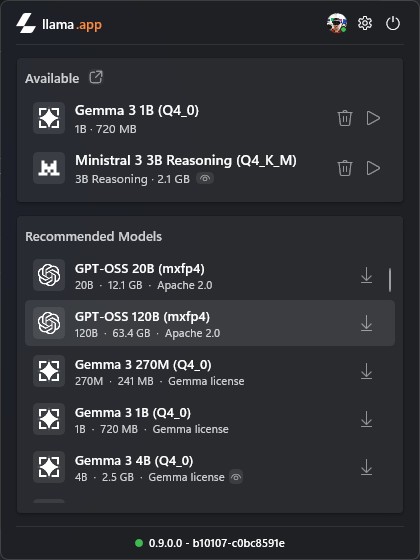
- **Lives in your tray** — a borderless, Mica-backed flyout anchored to the tray icon. No taskbar clutter, no window management.
- **Zero-setup llama.cpp** — adopts a running server, launches your existing `llama.exe`, or downloads one for you. It just works.
- **One-click models** — browse a recommended catalog from the Hugging Face Hub and download with live progress, or load anything already in your GGUF cache.
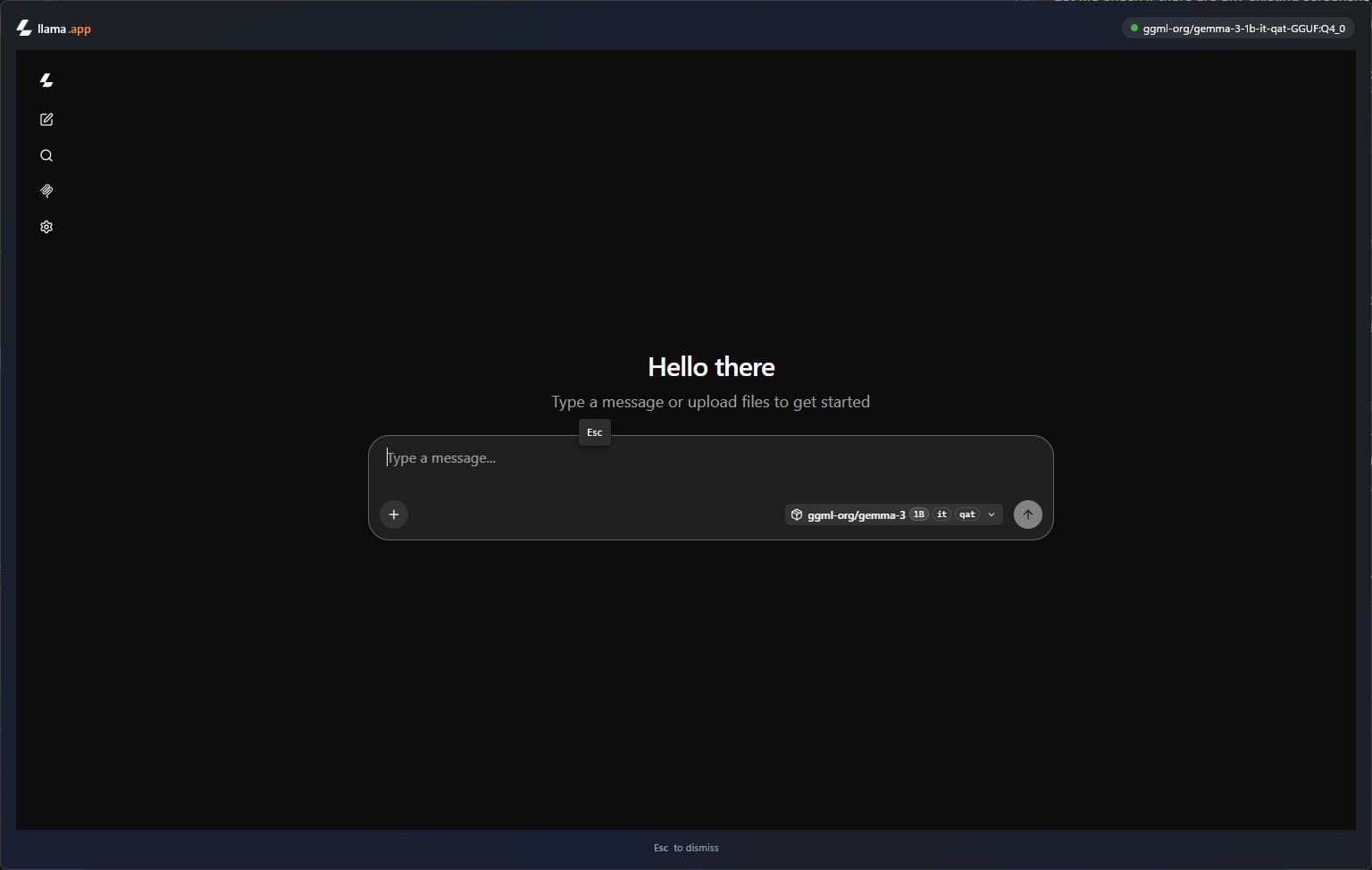
- **Spotlight-style overlay** — press `Alt+Space` anywhere in Windows and a centered prompt overlay appears, ready to chat with your loaded model. `Esc` (or clicking away) dismisses it. It's instant, and it preserves your in-flight conversation between summons.
## 🚀 The overlay, up close
The overlay is the star of the show: a borderless Mica window (~60% of your screen) that embeds the llama server's WebUI for whichever model is loaded. Think Spotlight or Raycast, but for your local LLM.
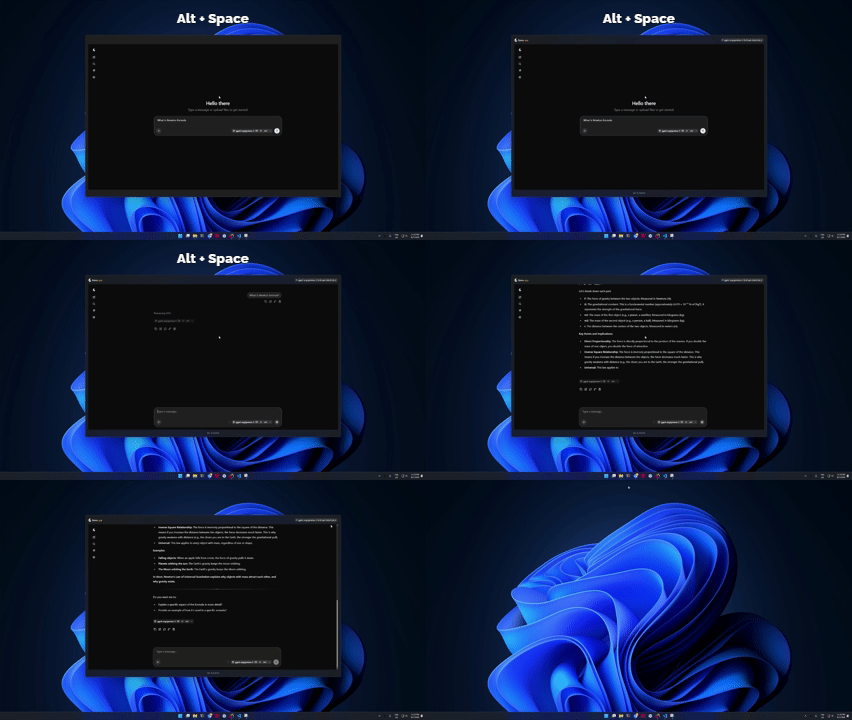
- **Global hotkey** — `Alt+Space` works from any app while LlamaApp is running.
- **Model-aware** — automatically points at the currently loaded model; shows the router view when none is loaded.
- **Feels native** — hides instead of closing, so re-summoning is instant.
## 📦 Install
Grab the latest signed `.msixbundle` (x64 + ARM64) from [**Releases**](https://github.com/ggml-org/Llama-Windows/releases) and double-click to install.
Or build from source — you'll need the **.NET 10 SDK** with the Windows App SDK workload:
```bash
dotnet build -c Release -r win-x64 # or win-arm64
dotnet test # run the unit tests
```
## 🧠 How it works
LlamaApp manages a `llama serve` process on `localhost:2276` and talks to it over its REST API. Your models stay in the standard Hugging Face cache (`%USERPROFILE%\.cache\huggingface\hub`), shared with `llama.cpp` and HF tooling. Settings and logs live under `%LOCALAPPDATA%\LlamaApp`.
---
Made with 🦙 for Windows 11 · Models run 100% locally — your prompts never leave your machine.